

Client
A client is an individual or business entity that you are dealing with for your business.
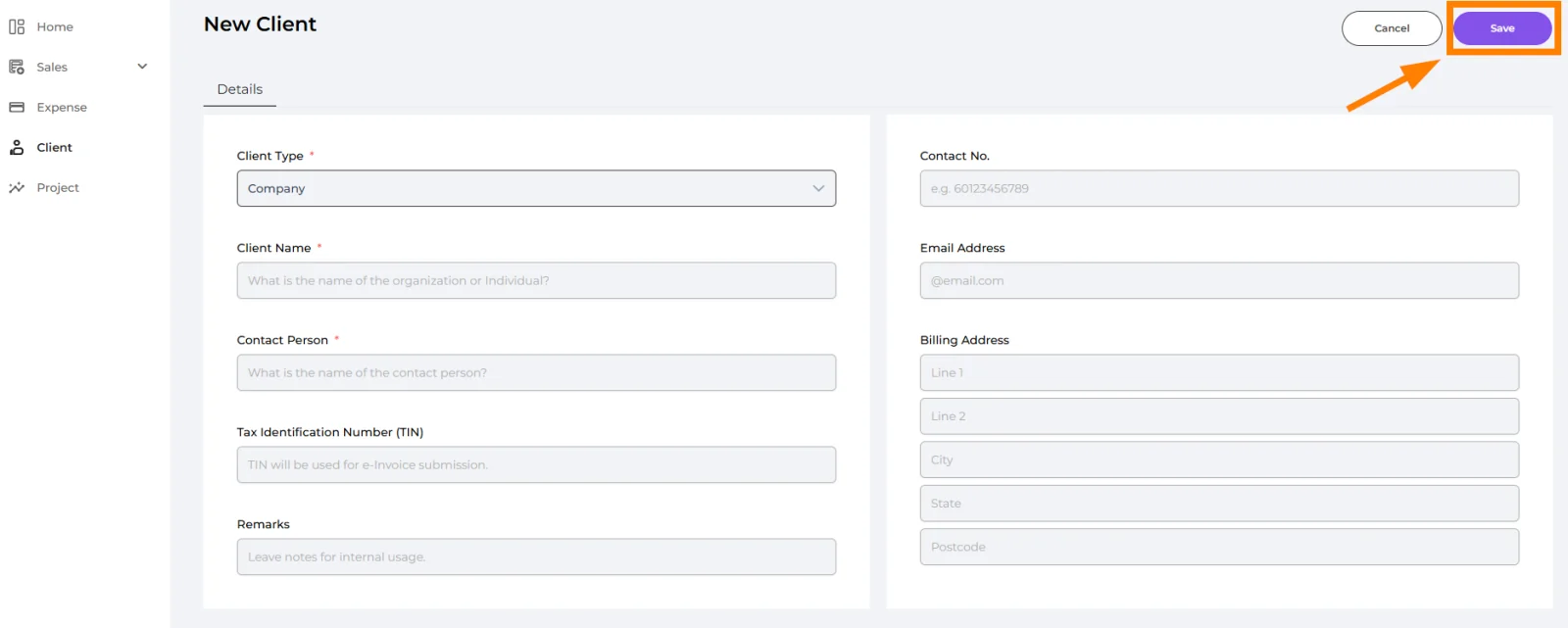
Go to the "Client" tab and click the "Add New" button to begin creating a new client profile.

🔹 Client Type (Required)
Company → For organizations or businesses
Individual → For personal clients
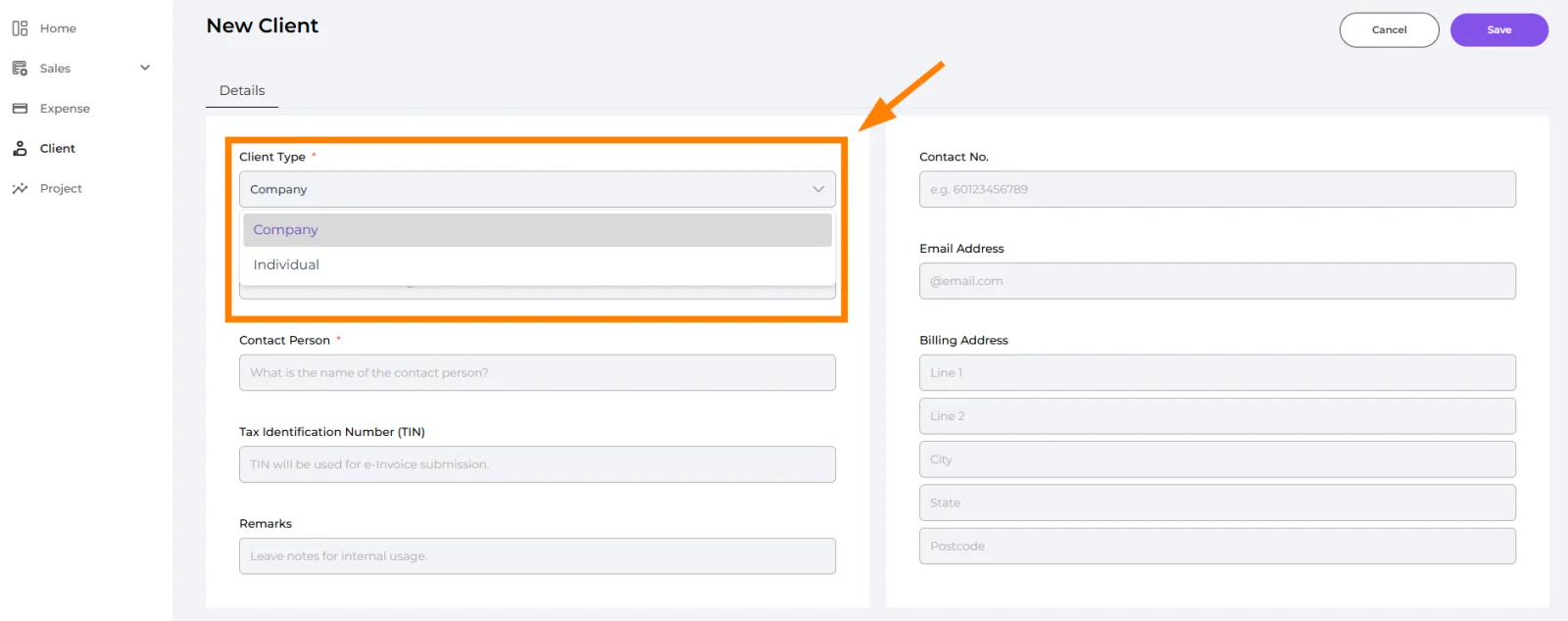
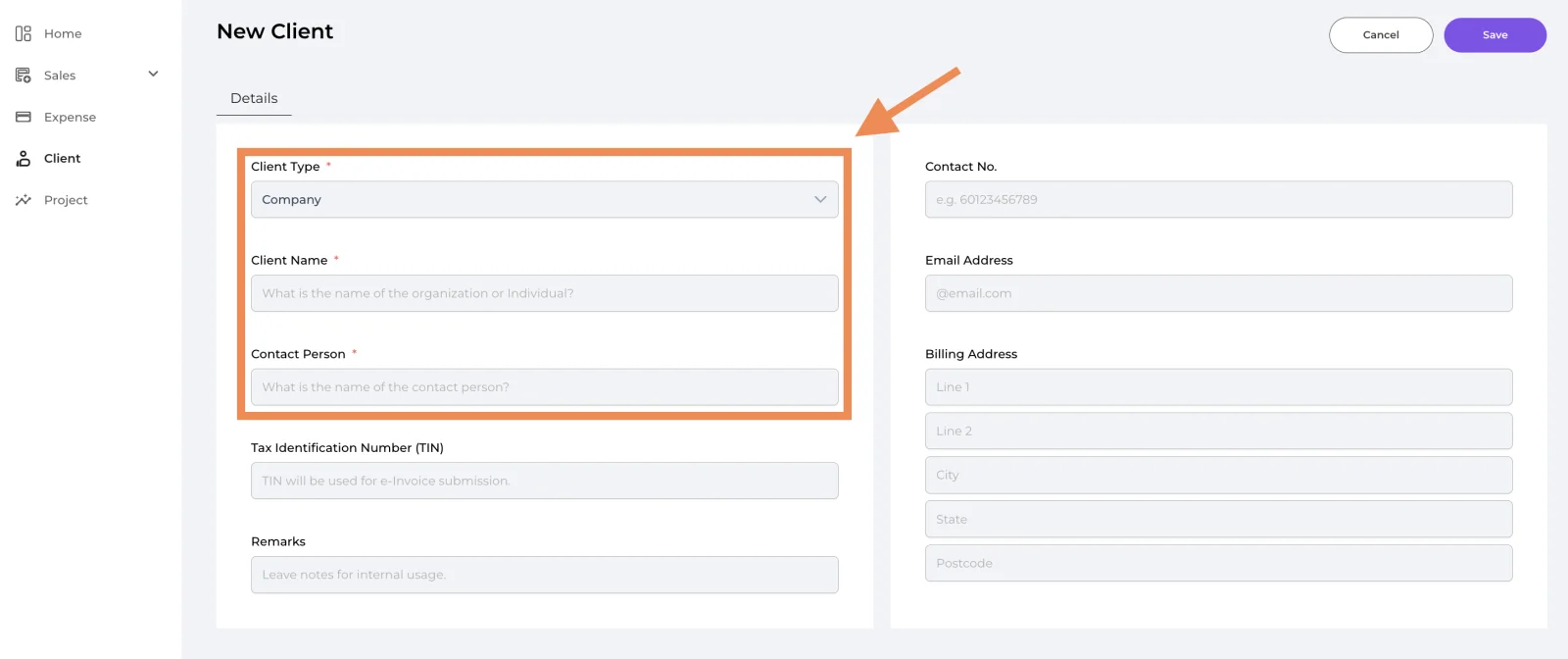
If "Company" is selected as the Client Type, please fill in the following details:
🔹 Client Name (Required)
Enter the client’s registered business name (e.g., ABC Sdn. Bhd.).
🔹 Contact Person (Required)
Enter the full name of the primary contact person representing the client.
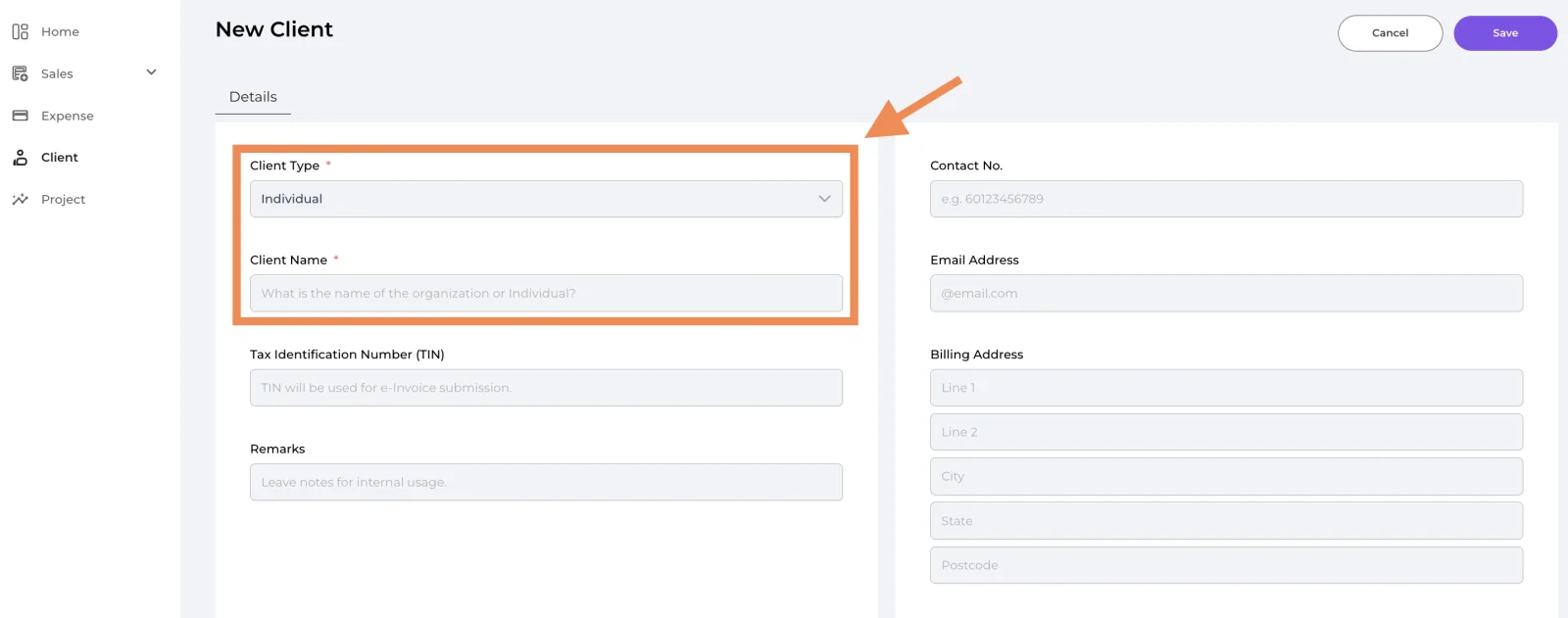
If "Individual" is selected as the Client Type, please fill in the following details:
🔹 Client Name (Required)
Enter the client’s registered business name (e.g., ABC Sdn. Bhd.).
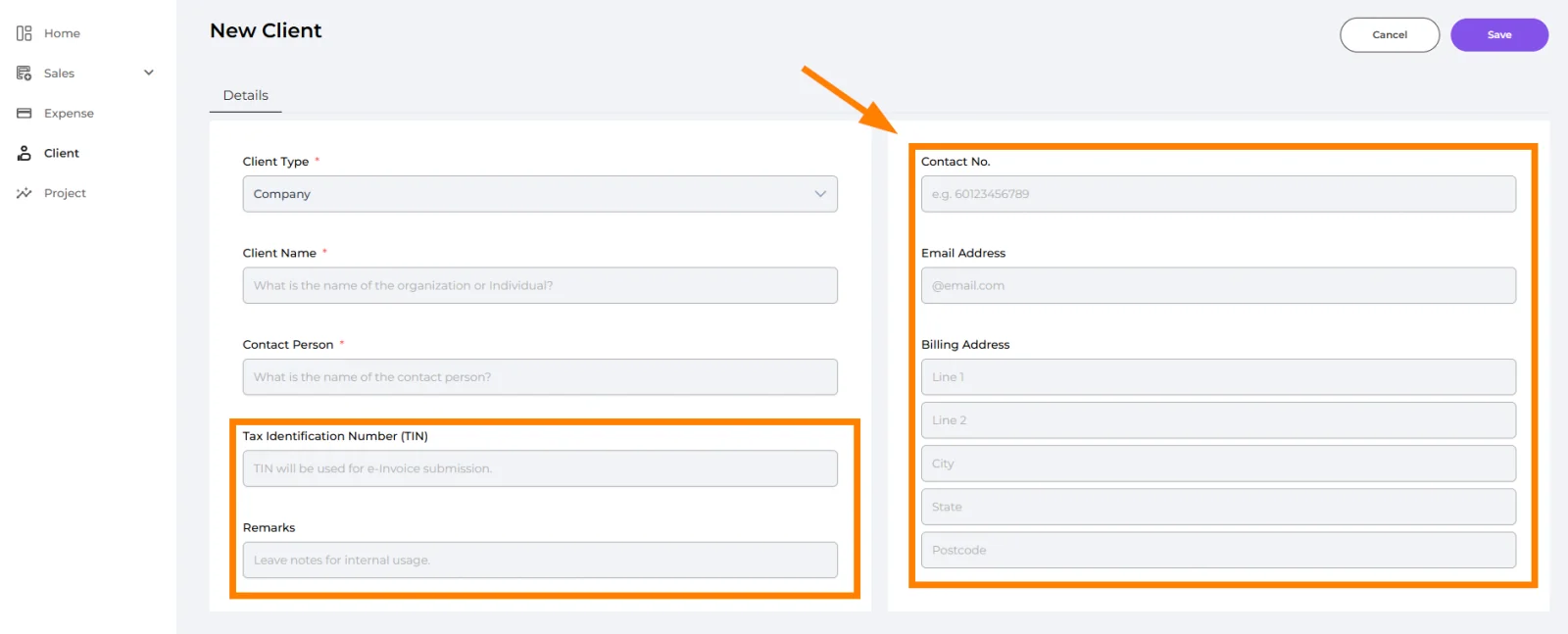
🔹 Tax Identification Number (TIN) (Optional)
Enter the client’s Tax ID number, required for e-invoice submission.
🔹 Remarks (Optional)
Add internal notes for staff reference. These notes are not visible to the client.
🔹 Contact No. (Optional)
Enter the client’s phone number in international format (e.g., 60123456789).
🔹 Email Address (Optional)
Provide the client’s email address. This will be used for communication and invoice delivery.
🔹 Billing Address (Optional)
Enter the client’s billing address details:
- Line 1, Line 2 → Street address
- City → City name
- State → State or region
- Postcode → Postal/ZIP code
Click the "Save" button to store the client details. Ensure all required fields are completed before saving; incomplete fields will prompt a notification.
Well done! You’ve finished this guide.
You can go back to any step at any time.