

Product
A product is an item or service you sell. Setting up products lets you pick them when creating quotations and invoices, so the details (including the unit of measure) fill in automatically.
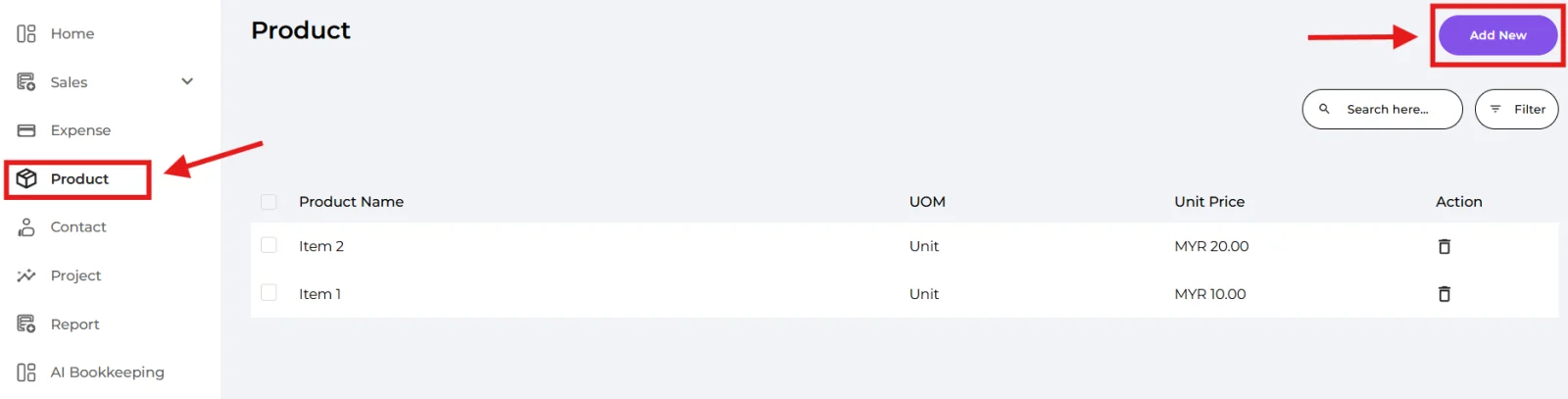
Navigate to Product on the left menu and click "Add New".
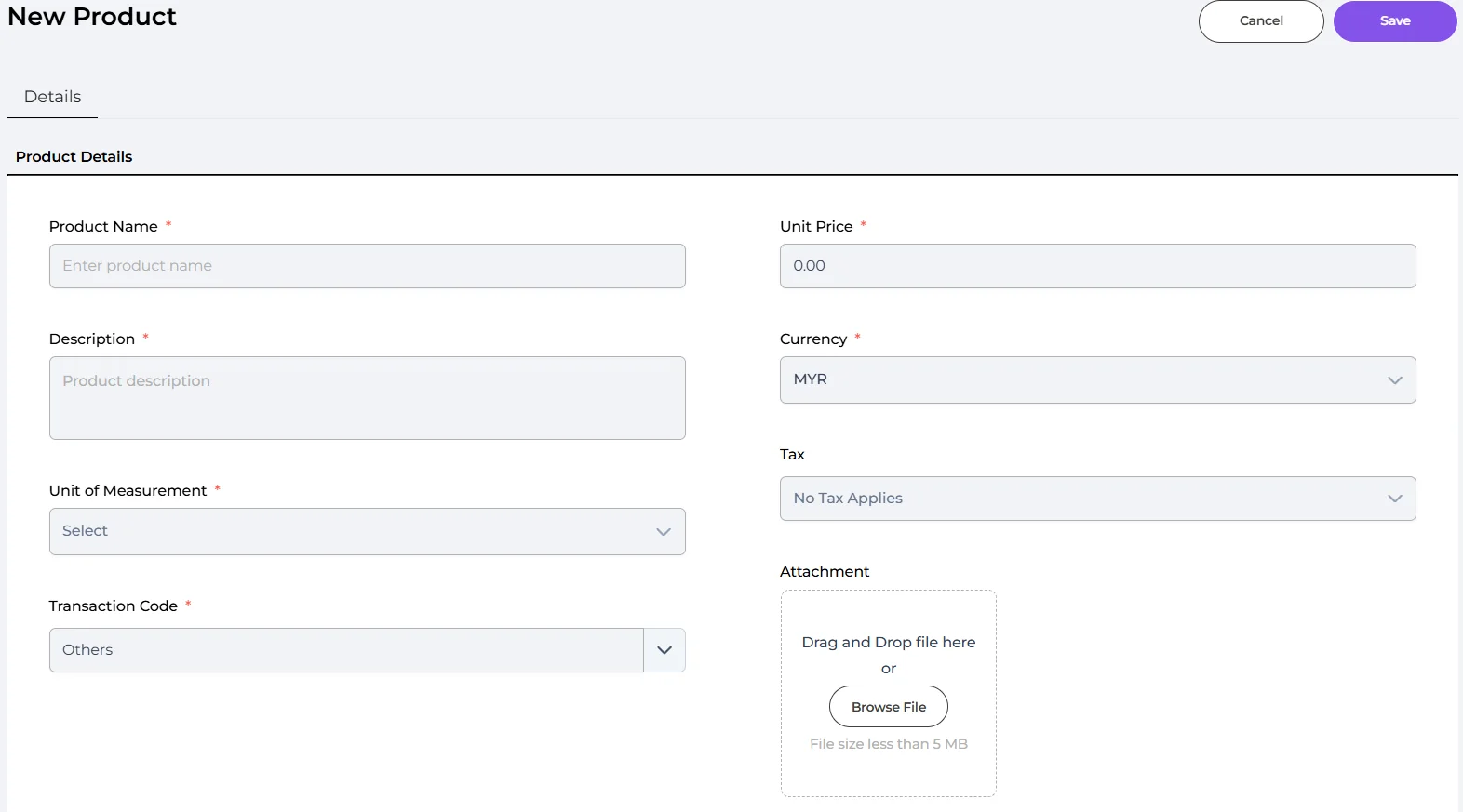
🔹 Product Name (Required) — the name of the product or service.
🔹 Description (Required) — a short description of the product.
🔹 Unit of Measurement (UOM) (Required) — the unit this product is sold in (e.g. Unit, Kilogram, Gram, Litre, Metre, Hour). If the right unit isn't listed, click "Add New" to create your own custom unit.
🔹 Transaction Code (Required) — the classification used for e-invoice (defaults to "Others").
🔹 Unit Price (Required) — the price per unit.
🔹 Currency (Required) — the currency (defaults to MYR).
🔹 Tax (Optional) — apply a tax to this product.
🔹 Attachment (Optional) — a product image.
The unit you set here appears as a UOM column on your Quotation / Invoice / Sales Receipt PDFs. To show or hide it, go to Settings → Branding → "Display UOM Column" (covered in the Settings guide).
Well done! You’ve finished this guide.
You can go back to any step at any time.