

Project
Project will allow you to track profitability of your business by tagging your invoice and expense to specific project.
Watch the video guide
Same steps, shown on screen.
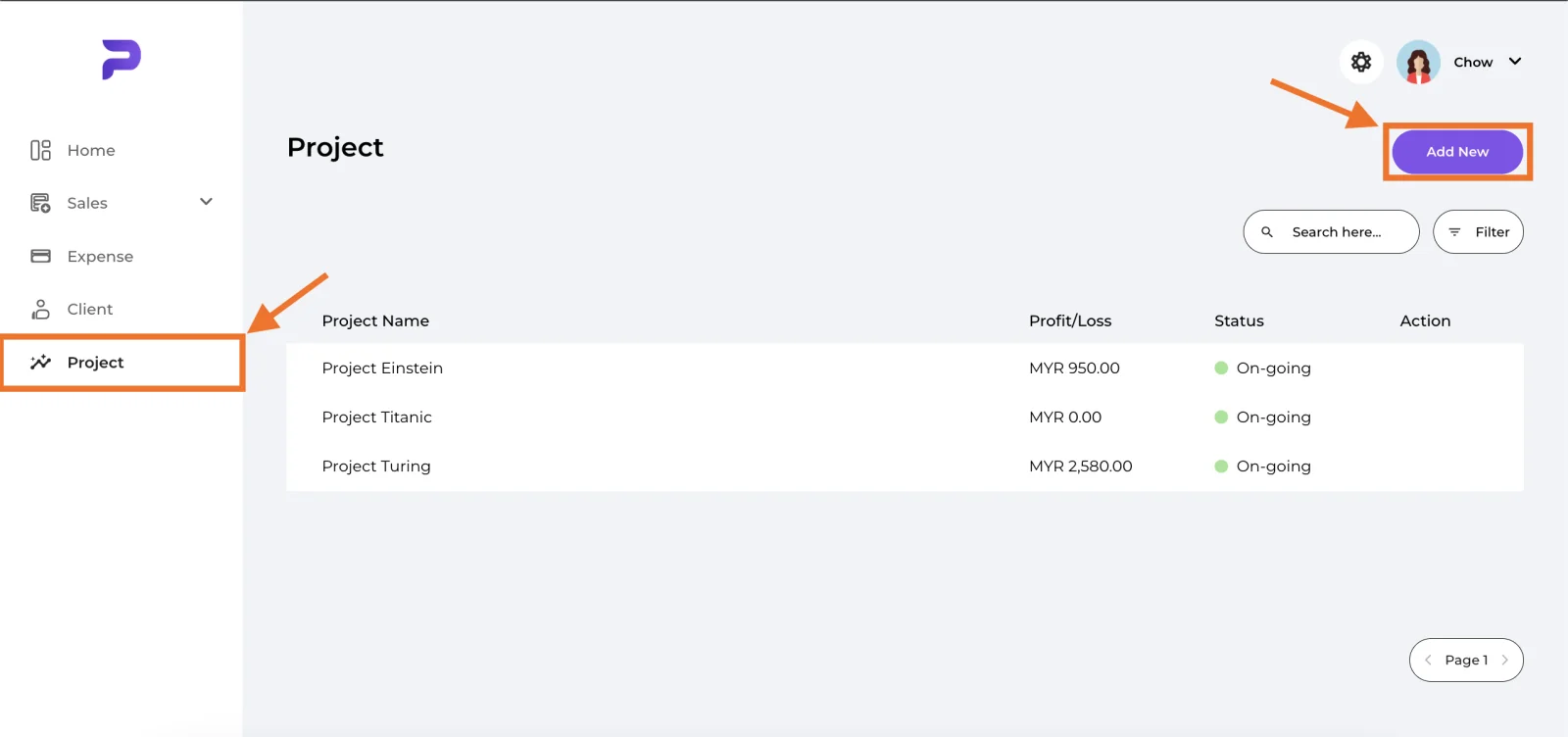
Navigate to "Project" tab and select "Add new" button"
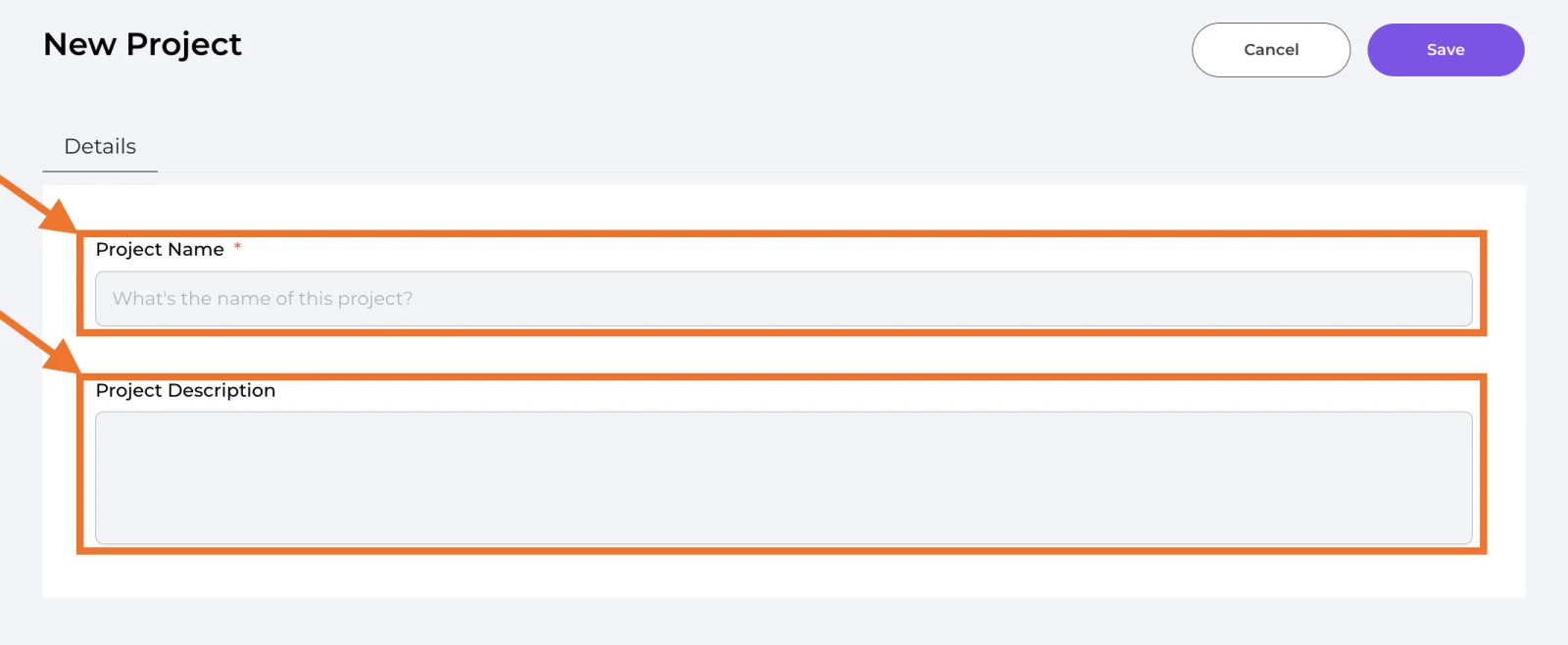
🔹 Project Name (Required)
Name of the project that you would like to call
🔹 Project Description (Optional)
Brief description of the project
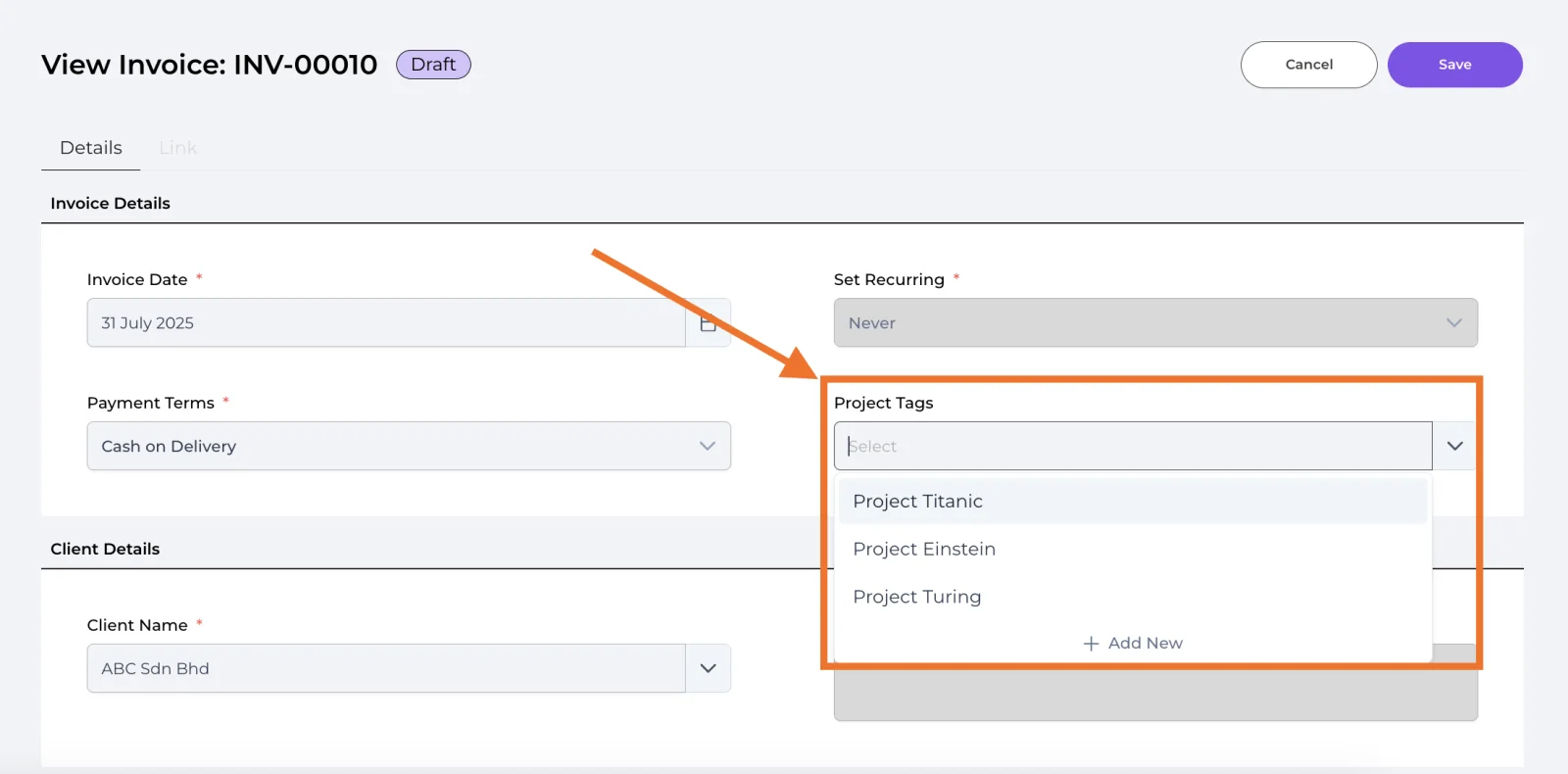
🔹 Tag invoice to a project
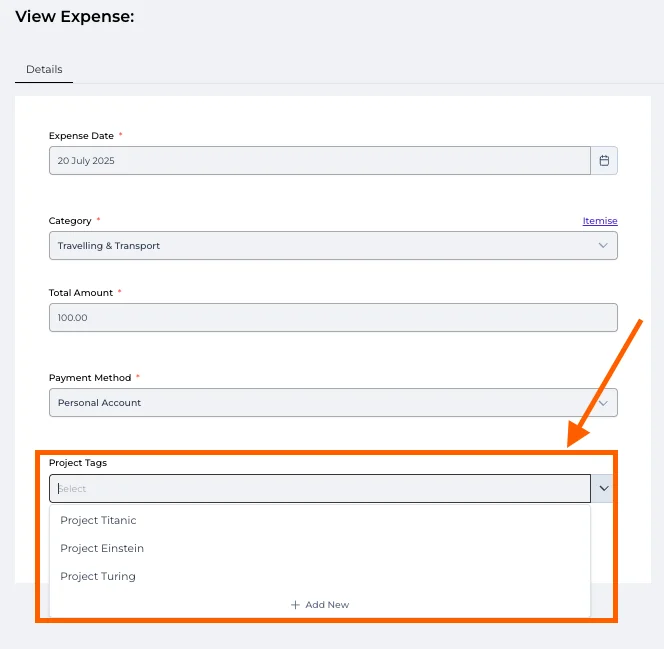
🔹 Tag expense to a project
🔹 Track profit/loss for each project
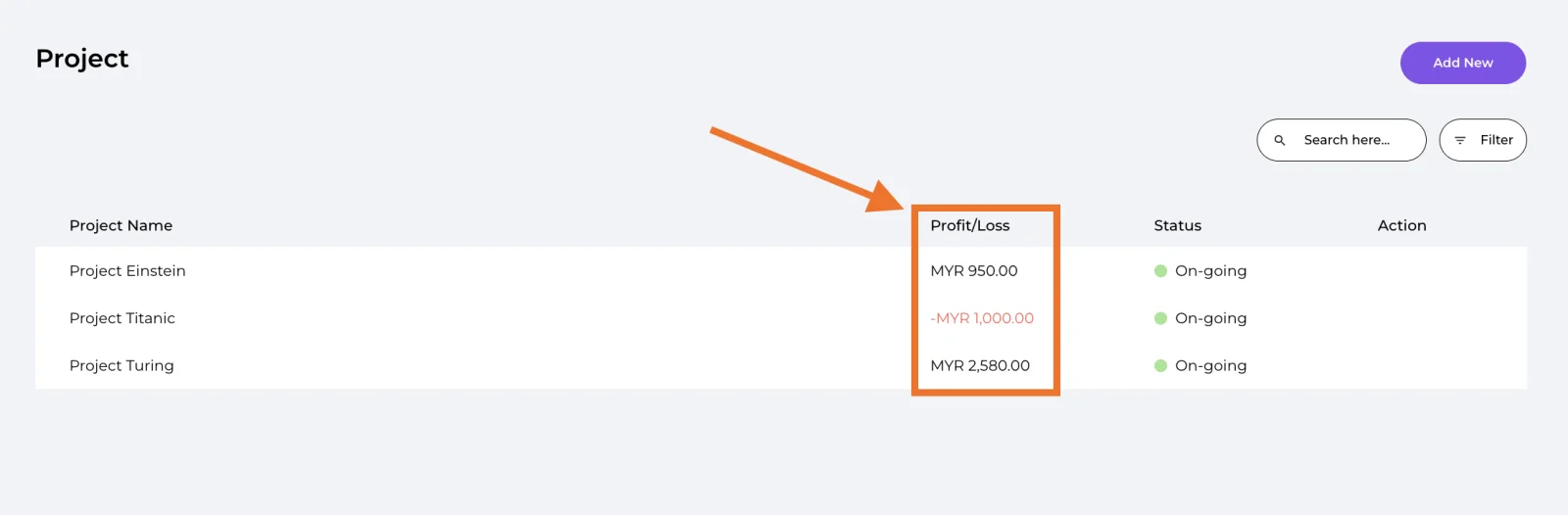
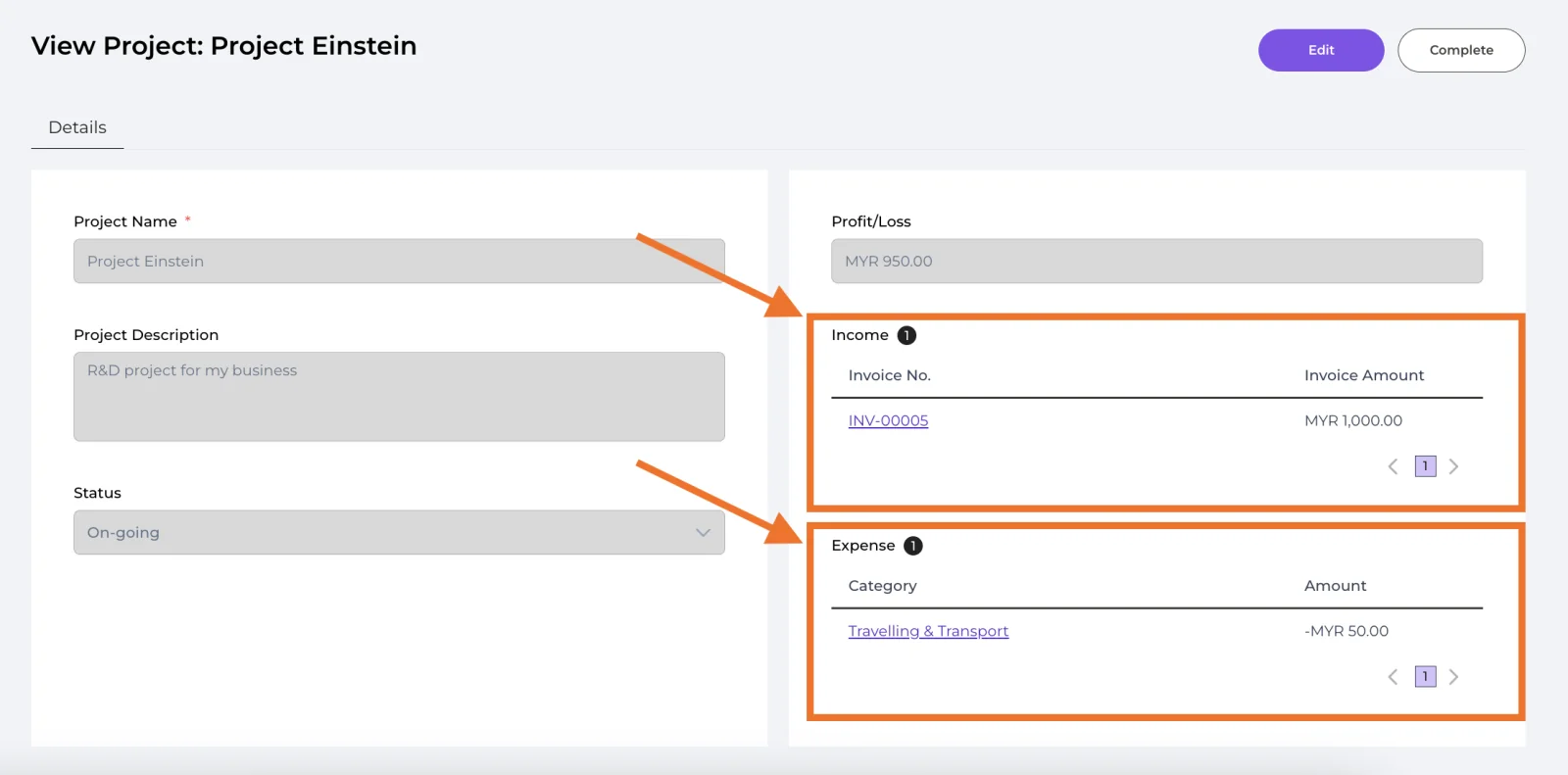
🔹 View linked invoice and expense in a particular project
Well done! You’ve finished this guide.
You can go back to any step at any time.