E-Invoice
Malaysia requires e-invoices for most business transactions, submitted to the government's MyInvois System. Pigeonbook handles this for you: complete a one-time setup, and Pigeonbook sends your e-invoices to LHDN automatically.
A TIN (Tax Identification Number) is the tax number the government uses to identify your business. You need one before you can connect. If you don't have one yet, register first with LHDN: https://mytax.hasil.gov.my/
🔹 TIN (Required)
Register via the MyTax
For Individual: https://www.hasil.gov.my/en/individu/pendaftaran/
For Company:
https://www.hasil.gov.my/en/syarikat/pendaftaran-fail-cukai/
Go to https://mytax.hasil.gov.my/ and log in with your account.
In MyTax, add Pigeonbook as your "intermediary" — the provider allowed to issue e-invoices on your behalf. You need a Director or Administrator role in MyTax to do this.
- Log in to the MyTax portal (https://mytax.hasil.gov.my/)
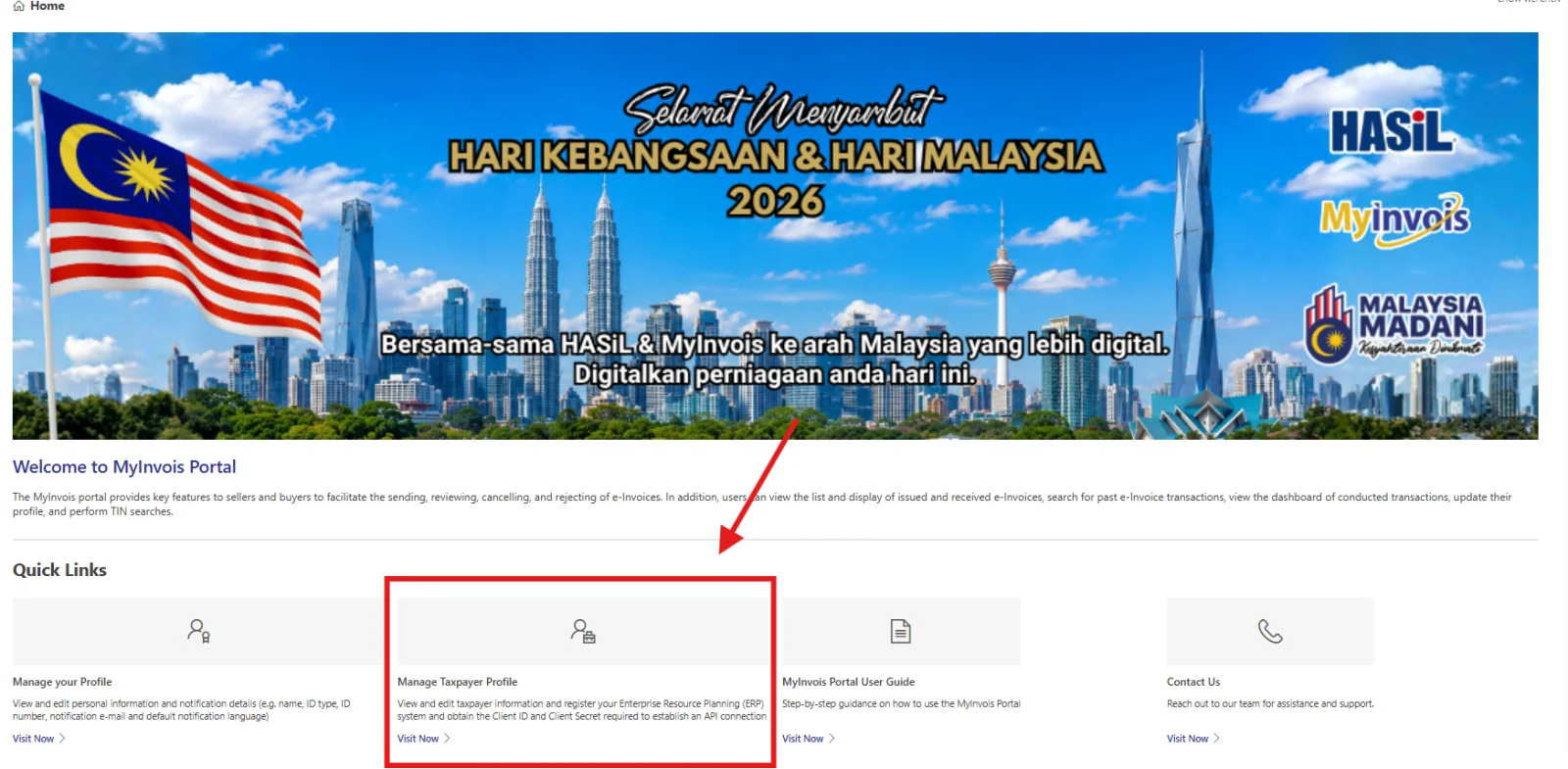
- In Home Page, click "Manage TaxPayer Profile".
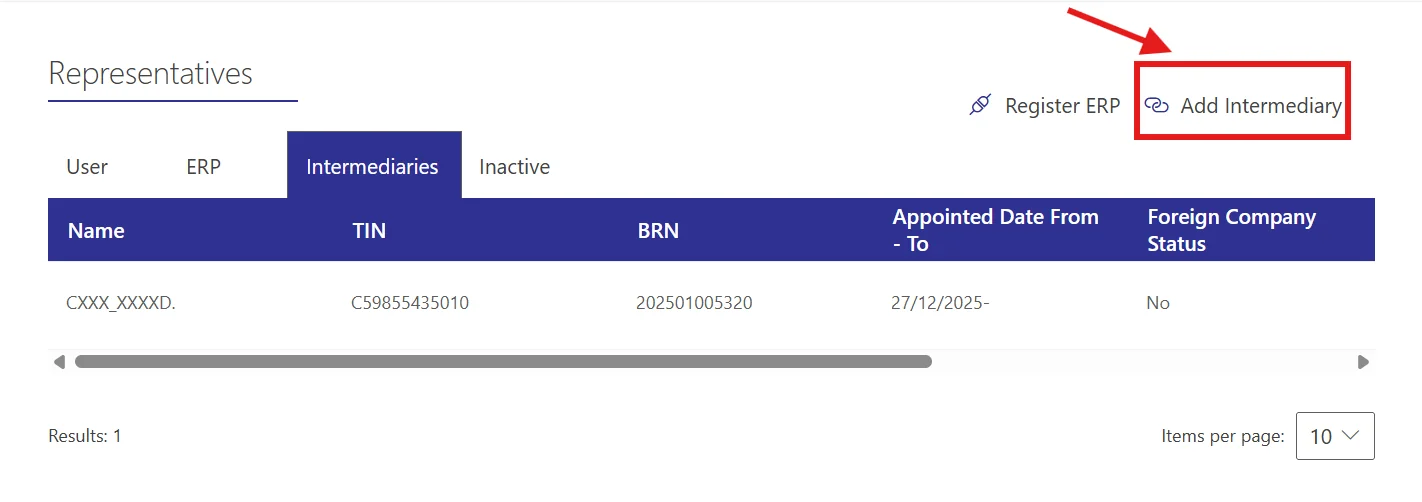
- Scroll down to the "Representatives" and click the "Intermediary" tab.
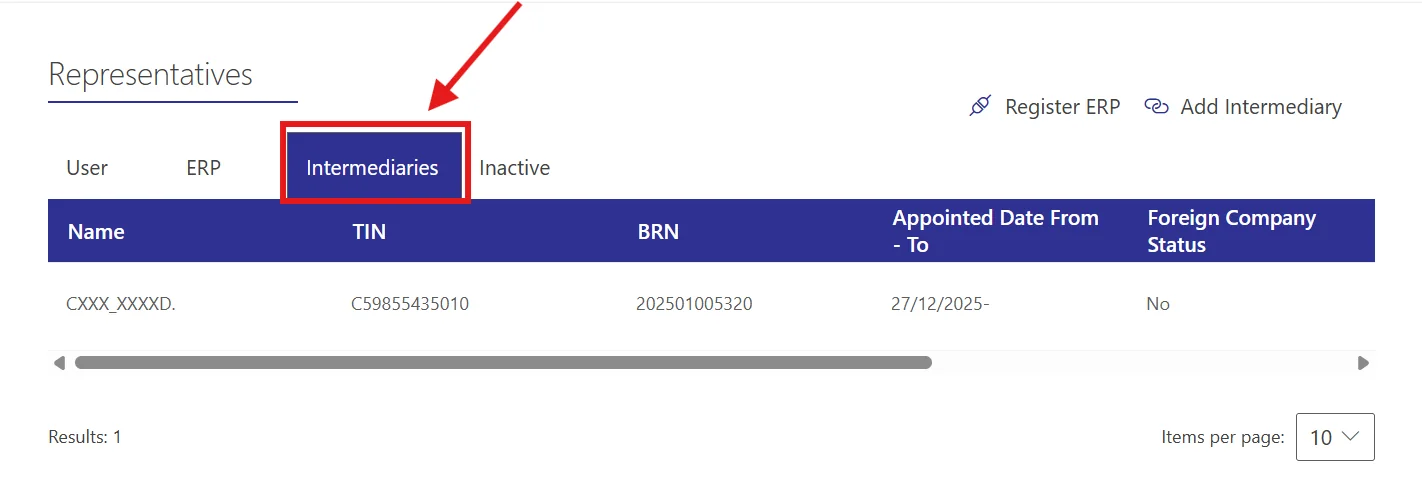
- Click "Add Intermediary" button.
- Enter PigeonBook's details:
🔹 TIN (Required) — C59855435010
🔹 BRN (Required) — 202501005320
🔹 Company Name (Required) — CSV Ventures Sdn Bhd
Leave the Foreigner and Peppol options switched OFF (No).
Fill in the captcha, then click the search icon to validate.
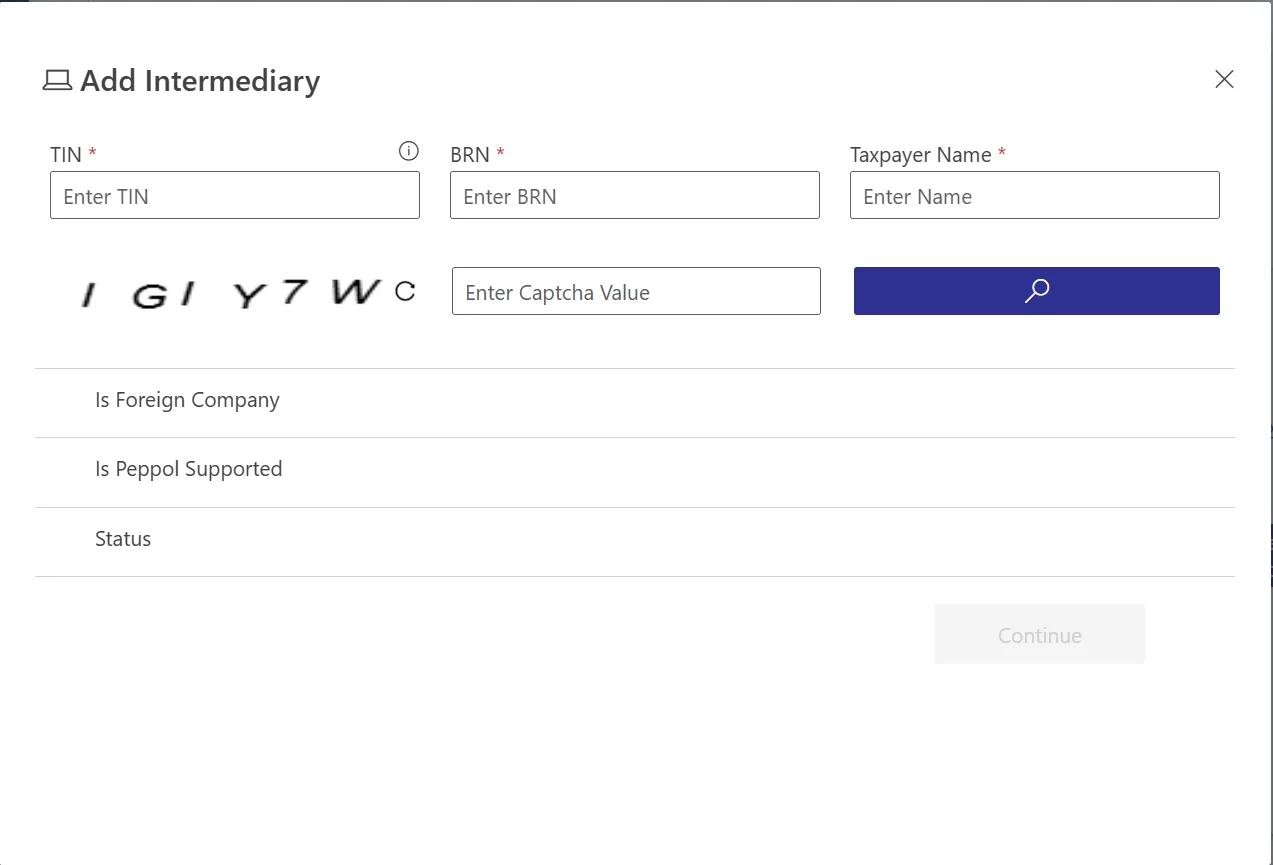
- Click "Continue" button.
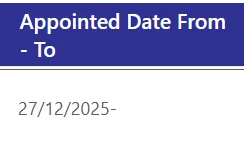
- Set Representation From to today's date and leave Representation To empty, so access never expires.
- Switch on all permissions.
- Click "Add Intermediary".
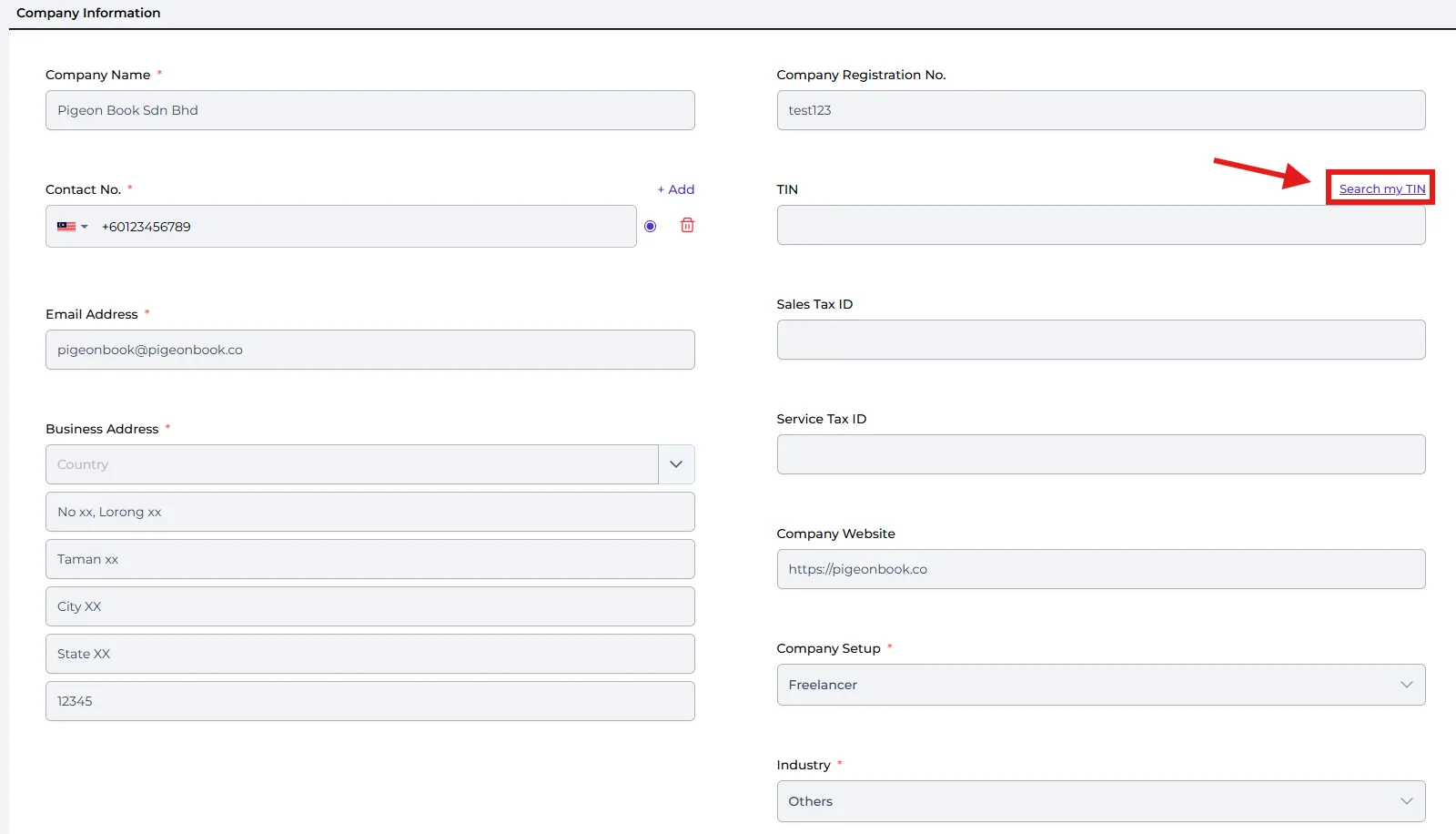
- Review your company details. All fields are required:
🔹 Company Name (Required)
🔹 Contact No. (Required)
🔹 Business Address (Required)
🔹 Company Registration No. (Required)
🔹 TIN (Required) — use the "Search my TIN" option to look it up from your registration number
🔹 Company Setup (Required)
🔹 Industry (Required)
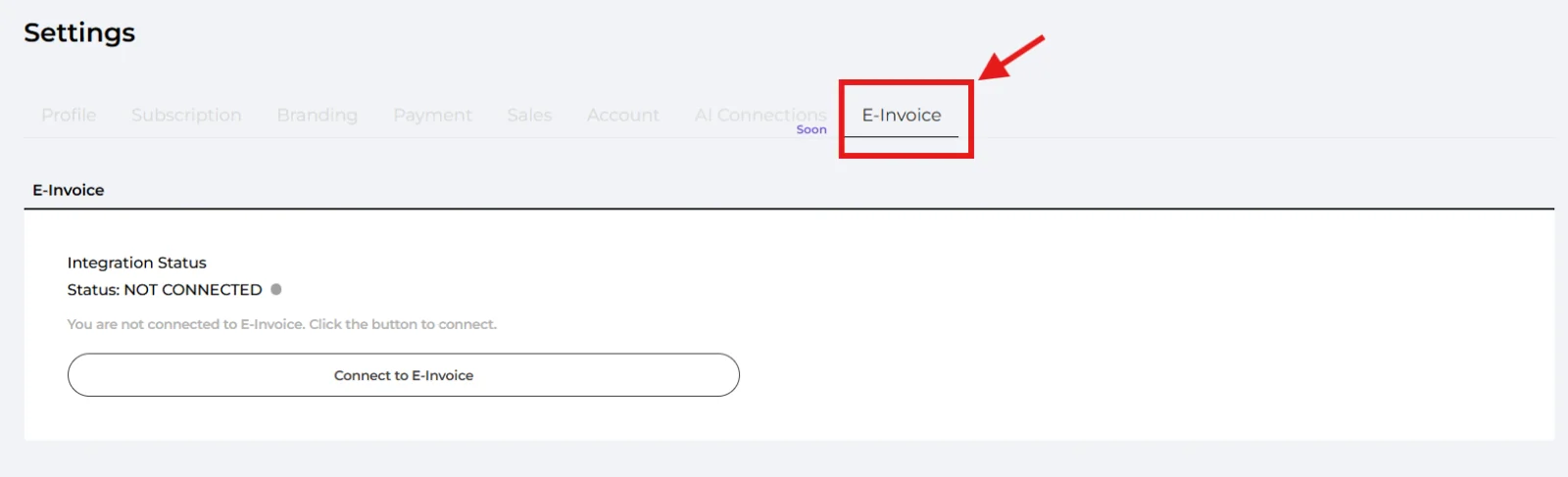
- Go to Settings → E-Invoice
- Click "Connect to E-Invoice". The status changes from Not Connected to Verifying, then to Valid once you're connected.
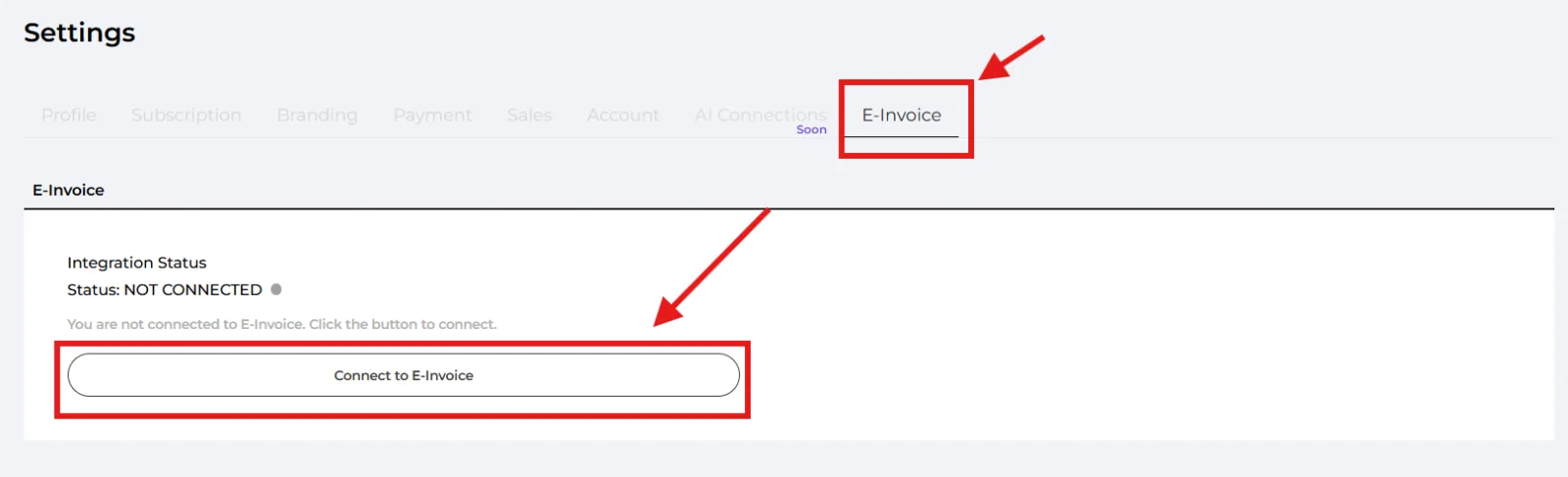
Can't connect? The status tells you why — incomplete data, not registered as an intermediary, or the test failed. Click Update Company Data to fix your details, or Retest to try again. The most common cause is a missing contact number, TIN or registration number.
Well done! You’ve finished this guide.
You can go back to any step at any time.
E-invoices in daily use
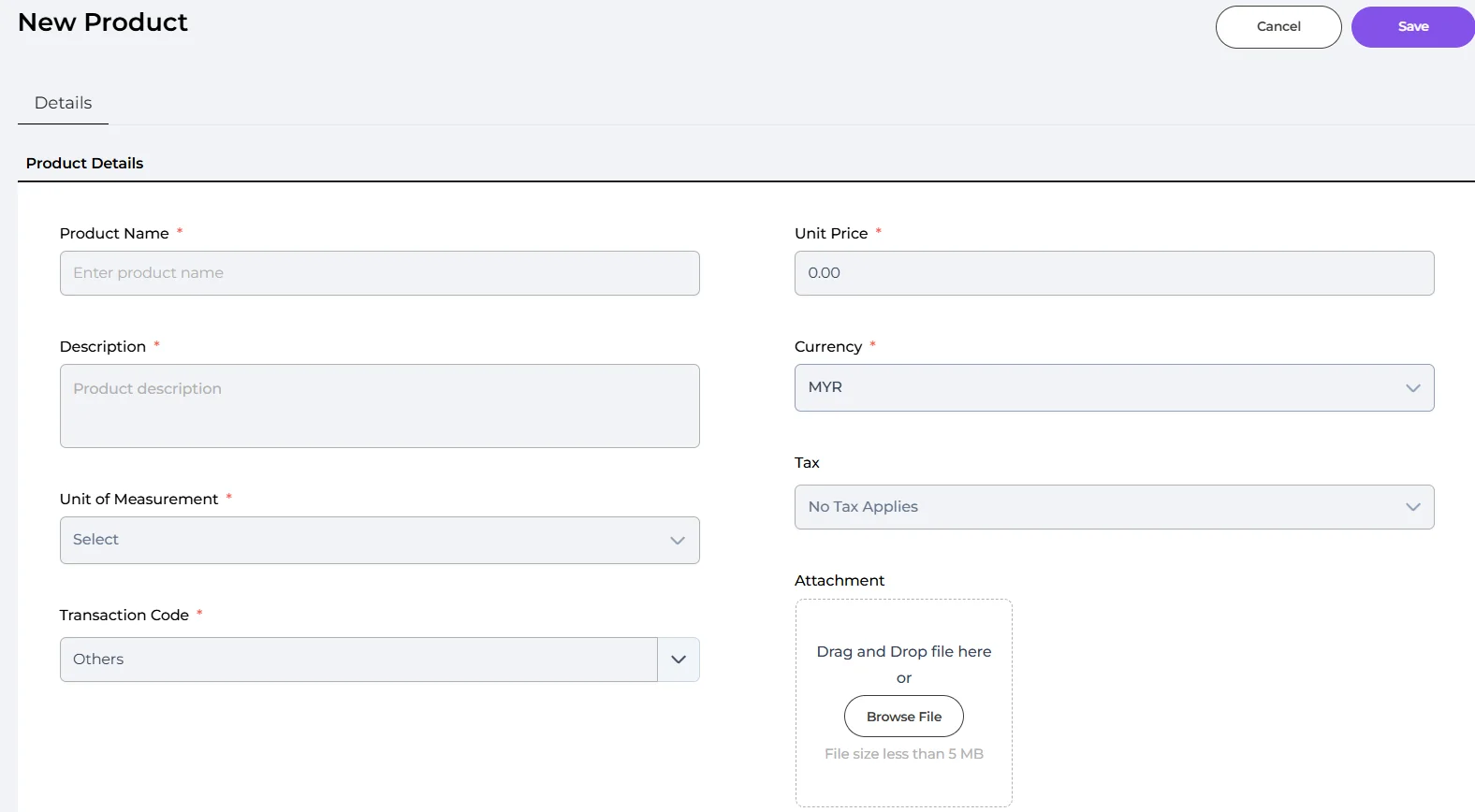
- Products: Give every product a Transaction Code before you sell with an e-invoice. Set up your products with the required fields first.
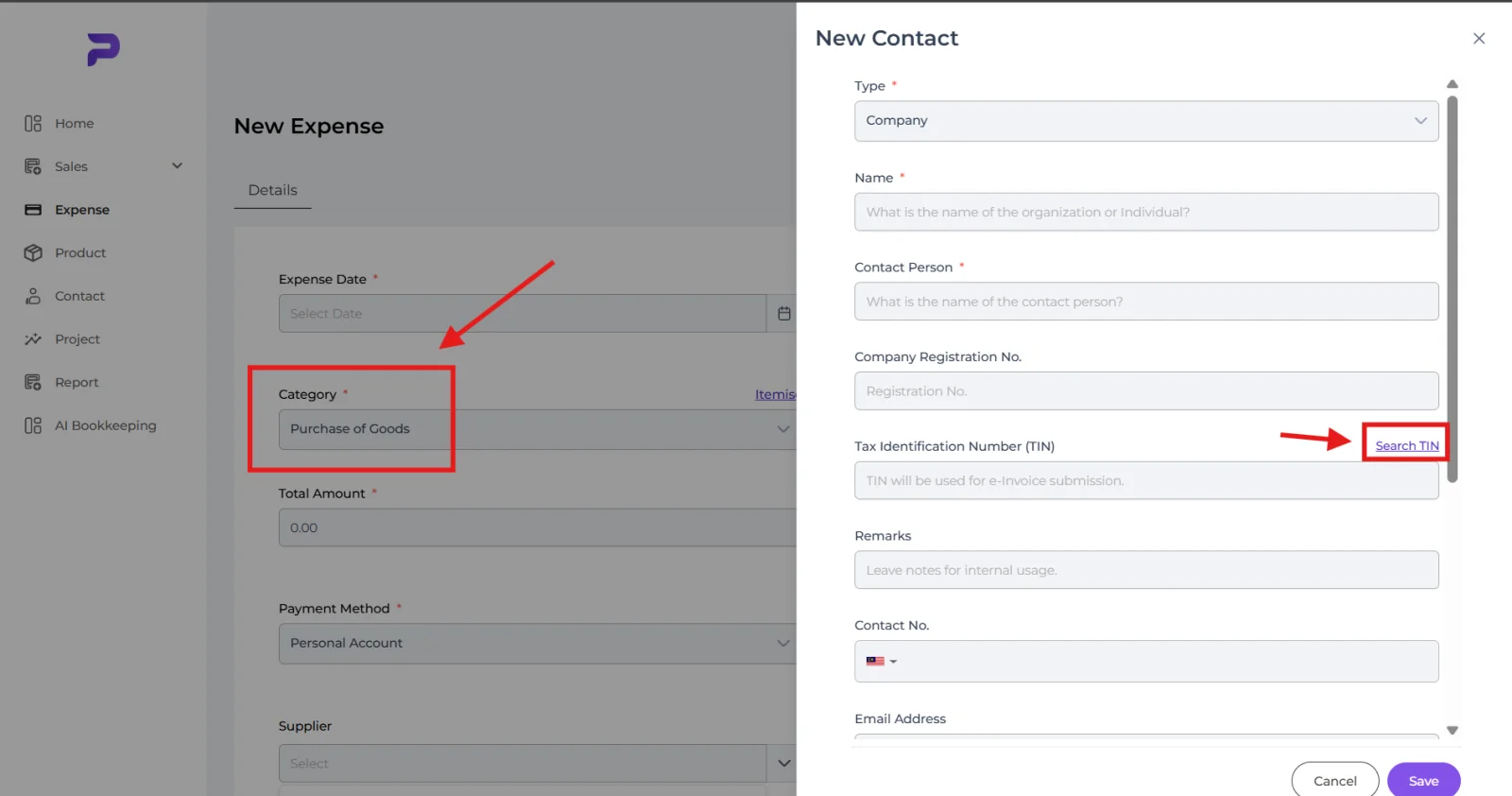
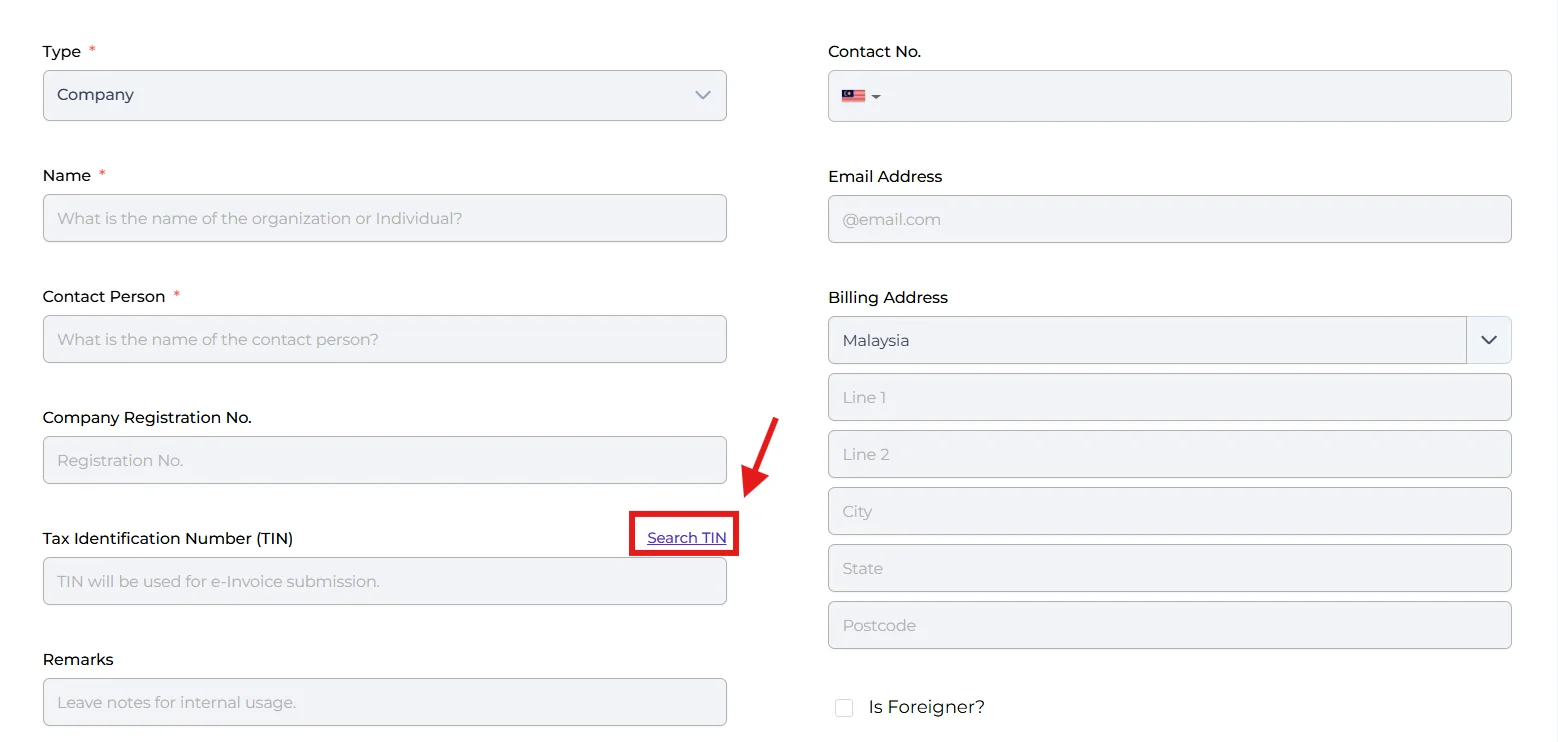
- Contacts: Collect your client's TIN when you create a contact. Pigeonbook can search the TIN from the company's registration number.
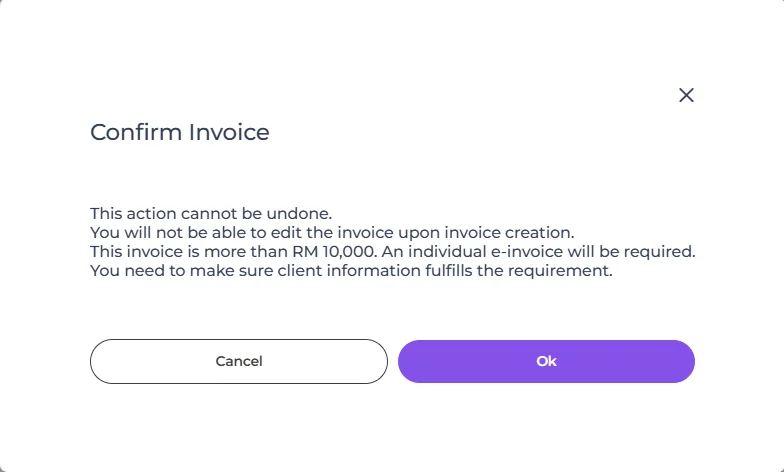
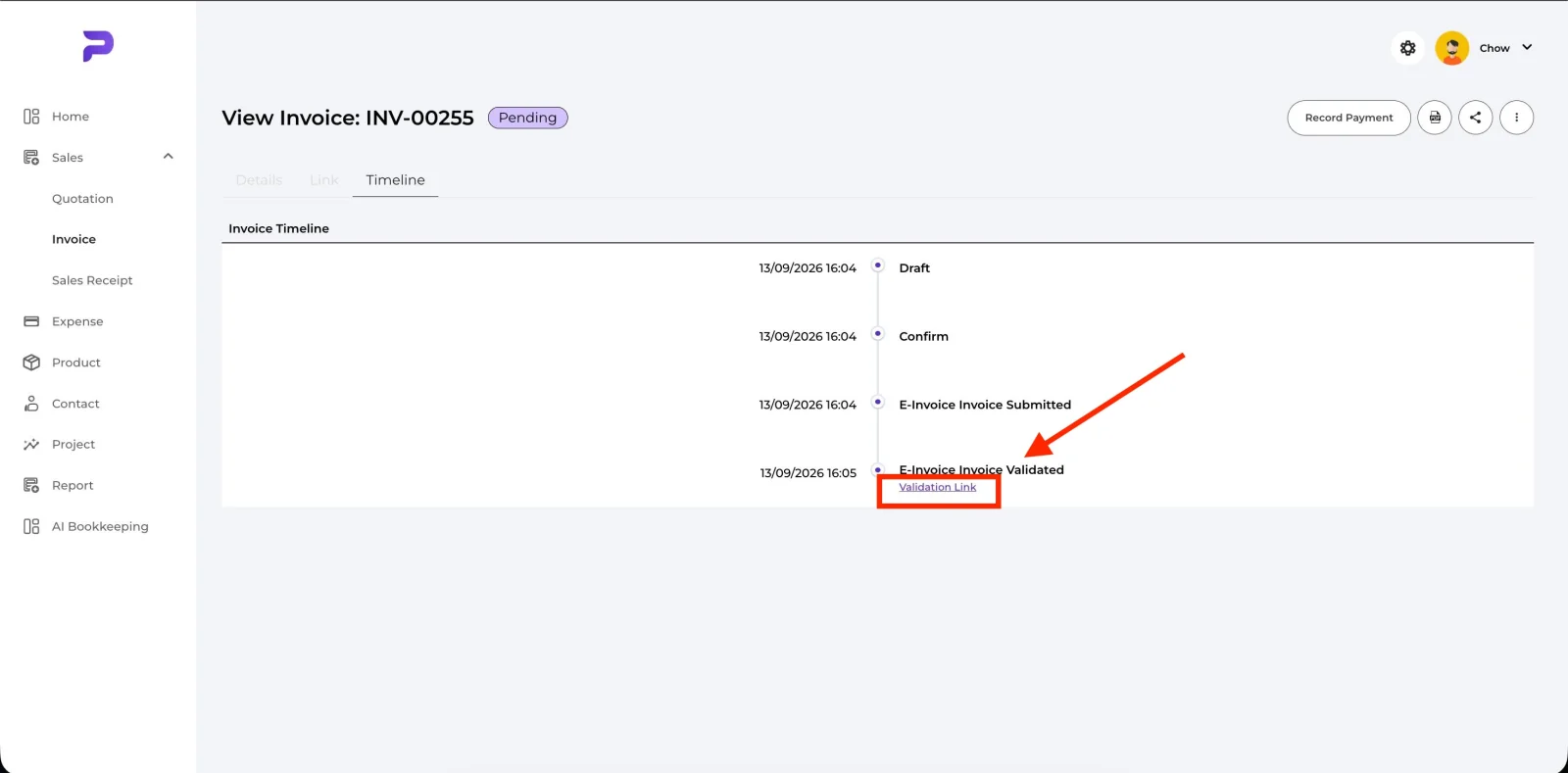
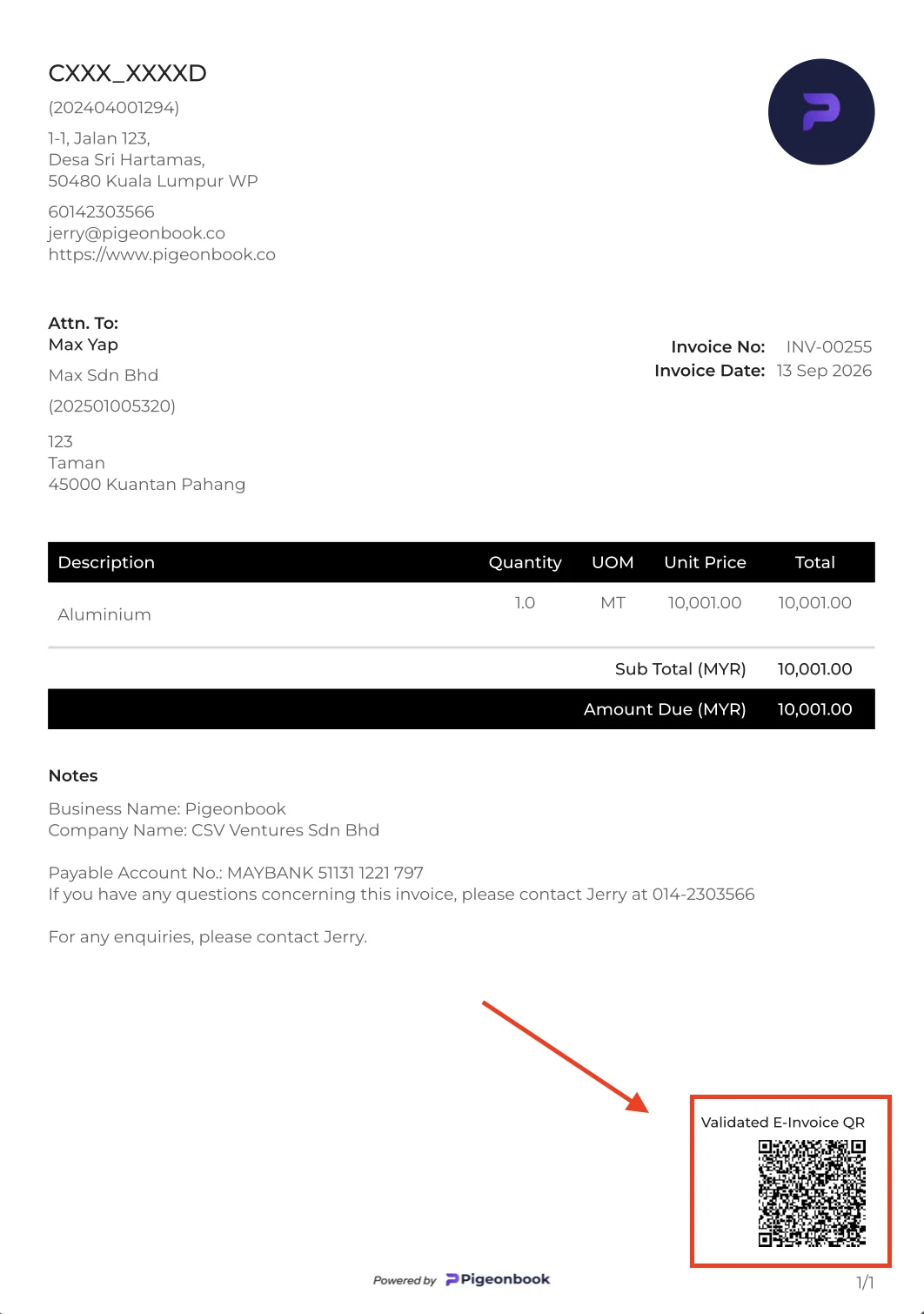
- Large invoices (RM 10,000 and above): These need an individual e-invoice. Pigeonbook warns you when you confirm the invoice; click the validation link to go to MyInvois, or scan the QR code on the PDF. Invoices under RM 10,000 don't need this.
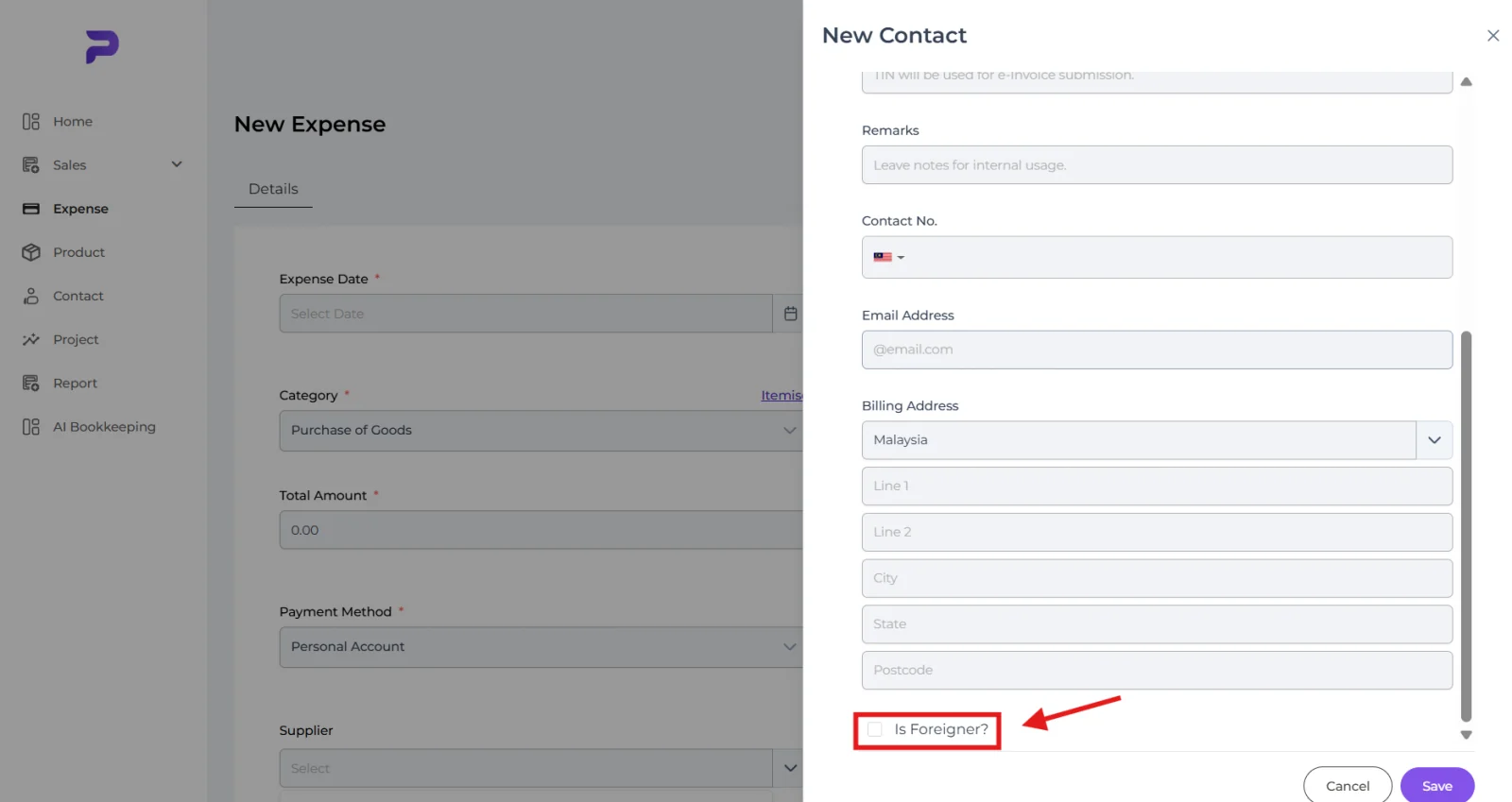
- Self-billed e-invoices (expenses): When you buy goods from a person or a foreign supplier, set the expense category to Purchase of Goods and Pigeonbook issues a self-billed e-invoice automatically. Fill in the supplier's name and identity number — NRIC for a local person, passport for a foreigner (tick "Is Foreigner?"). You can log in to MyTax → Documents to verify the self-billed e-invoice.